









Key Features
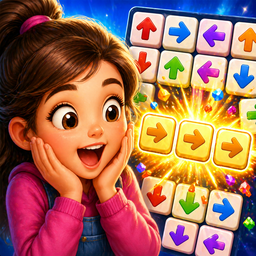
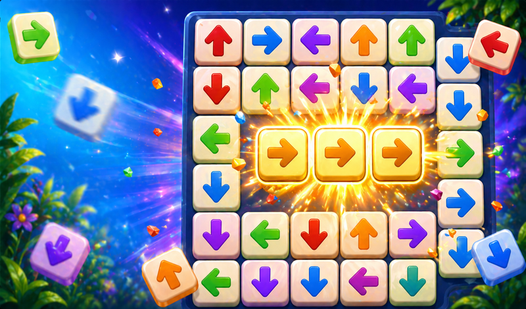
- Directional logic: Tiles slide until they hit an edge or another piece. One wrong tap ruins your entire board state.
- Hidden imagery: Clearing the grid unveils a new picture. It feels nice to finally see the full design.
- Brain strain: The later levels are actually quite brutal. You'll need to focus hard to keep your lines clear.
- Infinite retries: Take all the time you need. No timers means you can stare at the screen forever.
How to Play
Boom Arrow: Tap and Play: The basic movement
Tap any tile to slide it along its arrow’s path. You must clear the board using only empty cells as your landing zone. Getting the sequence wrong is common, so don’t worry if you hit a dead end early on. This is how to play Boom Arrow: Tap and Play.
Mastering Boom Arrow: Tap and Play controls
Your mouse or finger acts as the trigger for every shift. Boom Arrow: Tap and Play controls are responsive, though the grid gets crowded fast. Watch for tiles that block each other; if you trap an arrow facing a wall, you'll have to restart. Plan your final moves first.
Who Should Play Boom Arrow: Tap and Play?
Frequently Asked Questions about Boom Arrow: Tap and Play
Can I play Boom Arrow: Tap and Play on my phone?
Yes, it runs on mobile browsers without a hitch. The touch controls are actually more precise than using a mouse for these tight grid movements.
How do you solve the trickier levels in Boom Arrow: Tap and Play?
Work backward from the empty spots to see which tiles need to move first. If you try to guess the path forward, you'll end up stuck.
Is Boom Arrow: Tap and Play free to play?
Yes, Boom Arrow: Tap and Play is completely free to play on Nub Games. Optional in-app purchases are available. No download or registration required.
Can I play Boom Arrow: Tap and Play on mobile?
Boom Arrow: Tap and Play works on both desktop and mobile devices. Best played in portrait mode.
What age rating is Boom Arrow: Tap and Play?
Boom Arrow: Tap and Play has a content rating of 6++. It is suitable for all ages.