









Key Features
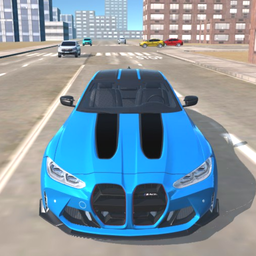
- Burnout Physics: The tires smoke and the car weight shifts. It makes every corner feel like a battle against the pavement.
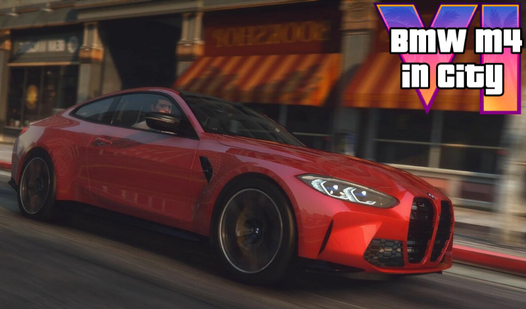
- Street Customization: Swap your paint job to stand out in the traffic. It adds a bit of flair to your ride.
- Traffic Chaos: The city is packed with cars. Weaving through them at top speed is the only way to get a high score.
- Engine Sounds: The roar is loud. It hits just right when you redline the RPM.
How to Play
Mastering BMW M4 in City controls
Use W to accelerate and S to brake, but don't expect to stop on a dime. The BMW M4 in City controls feel a bit slippery at first, so don't be surprised when you slide into a wall. Learn to tap A and D for steering to keep your drift clean.
BMW M4 in City: stunts and speed
Hit F for nitro when you see a straightaway. It’s the only way to clear those long jumps. Knowing how to play BMW M4 in City means realizing that handbrake turns are your best friend. A common mistake is slamming the brakes too hard; you'll lose all your momentum instantly.
Who Should Play BMW M4 in City?
Frequently Asked Questions about BMW M4 in City
How do you use the handbrake in BMW M4 in City?
You just hit the spacebar to lock the rear wheels. It’s essential for initiating those long drifts around the city blocks.
Can I play BMW M4 in City on my phone?
Yes, it works on mobile devices using your screen's touch interface. The buttons are laid out right over the game view for quick access.
Is BMW M4 in City free to play?
Yes, BMW M4 in City is completely free to play on Nub Games. There are no in-app purchases. No download or registration required.
Can I play BMW M4 in City on mobile?
BMW M4 in City works on both desktop and mobile devices. Best played in landscape mode.
What age rating is BMW M4 in City?
The catalog age rating for BMW M4 in City is 12+.