











Key Features
- Pressure Cooker: The timed mode forces you to think in milliseconds. You will panic and drop blocks in the wrong spots.
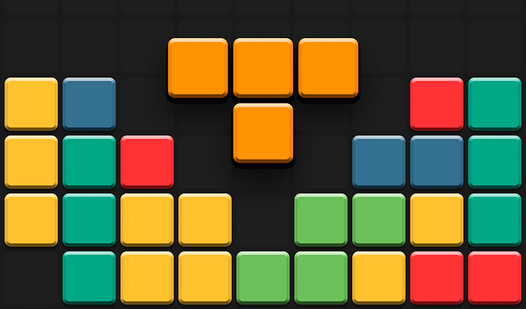
- Grid Management: Every placement has consequences. One bad move blocks your future options.
- Panic Button: The swap function lets you ditch bad pieces. It is a lifesaver when the board is nearly full.
- Visual Clarity: The tiles are bright and easy to track. It helps when you are speedrunning through relaxing sessions.
How to Play
Blocks: Magic Forest: The Basics
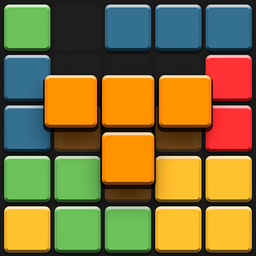
Drag and drop shapes onto the grid using your mouse or touchscreen. The goal is to fill lines completely to clear them. Learning how to play Blocks: Magic Forest is simple, but the board fills up fast. A common mistake is leaving single-tile gaps that you cannot fill later.
Mastering Blocks: Magic Forest controls
Use the Blocks: Magic Forest controls to drag tiles from the bottom shelf. If you get stuck, the swap button is your best friend. Save those swaps for when you are desperate. The game gets chaotic once the board gets crowded, so keep your cool under pressure.
Who Should Play Blocks: Magic Forest?
Frequently Asked Questions about Blocks: Magic Forest
How do you swap pieces in Blocks: Magic Forest?
Just tap the swap icon on the screen to discard your current set of blocks. It costs you nothing, but it has a cooldown so use it wisely.
Can I play Blocks: Magic Forest on my phone?
Yes, it works perfectly on mobile browsers. You get the same experience as desktop, though the small screen makes those late-game mistakes feel more painful.
Is Blocks: Magic Forest free to play?
Yes, Blocks: Magic Forest is completely free to play on Nub Games. Optional in-app purchases are available. No download or registration required.
Can I play Blocks: Magic Forest on mobile?
Blocks: Magic Forest works on both desktop and mobile devices. Best played in portrait mode.
What age rating is Blocks: Magic Forest?
The catalog age rating for Blocks: Magic Forest is 0+.