











Key Features
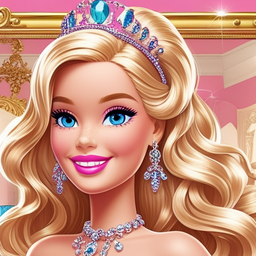
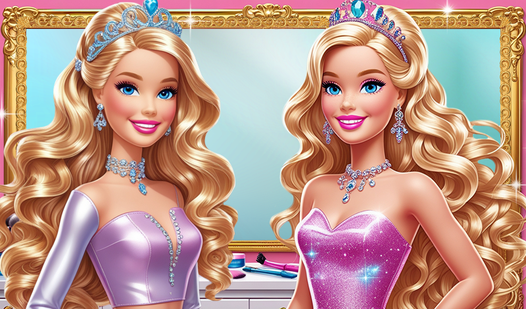
- Vibrant Makeup Palette: The colors are punchy and bold. You can layer different shades to see how the glitter reacts to the base tones.
- Deep Wardrobe Options: Shoes and dresses change the entire vibe of the model instantly. Finding a matching pair is the real test.
- Gallery Save Slots: Keep your best work for later. You can build a massive collection of looks.
- Instant Style Resets: If the makeup looks like a disaster, just clear it. You can start fresh in half a second.
How to Play
Mastering Barbie Beauty Salon controls
Use your mouse or touch screen to navigate the menu. Barbie Beauty Salon controls are simple enough, but clicking the tiny color swatches can be a bit jittery on smaller screens. Just take your time selecting the right shade. This is how to play Barbie Beauty Salon effectively without wasting items.
Styling in Barbie Beauty Salon
Drag and drop the dresses onto the model. Once you nail the perfect outfit, hit the save button to keep your creation in your own private gallery. Don't worry if the first look feels a bit off. You can always hit reset and try again until the aesthetic is spot on.
Who Should Play Barbie Beauty Salon?
Frequently Asked Questions about Barbie Beauty Salon
Can I play Barbie Beauty Salon on my phone?
Yes, it works perfectly on mobile devices. You just need a standard web browser to start the game and you are good to go.
How do you save looks in Barbie Beauty Salon?
Just use the built-in save icon after you finish styling. It stores your image in the local collection so you can review your progress later.
Is Barbie Beauty Salon free to play?
Yes, Barbie Beauty Salon is completely free to play on Nub Games. There are no in-app purchases. No download or registration required.
Can I play Barbie Beauty Salon on mobile?
Barbie Beauty Salon works on both desktop and mobile devices. Best played in landscape mode.
What age rating is Barbie Beauty Salon?
The catalog age rating for Barbie Beauty Salon is 0+.