








Key Features
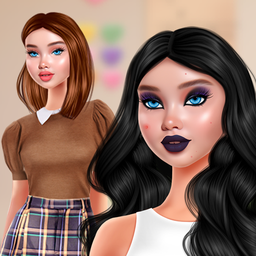
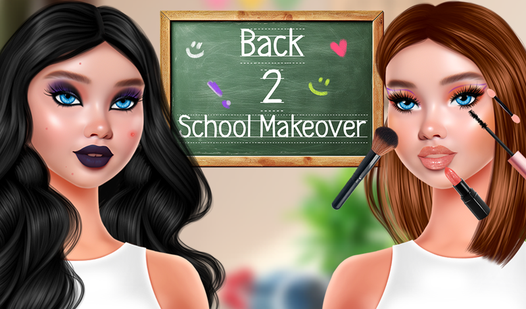
- Style layering: Pick your base colors carefully. If you choose a bold lipstick, the eyeshadow might clash if you aren't paying attention.
- Hair transformations: Snip and dye until the cut fits the vibe.
- Wardrobe expansion: Select from dozens of school-ready outfits. Most of them have specific accessories that change the silhouette.
- Detailed customization: Tweak the iris colors for a tiny detail that changes the whole face. It feels obsessive.
How to Play
Mastering Back 2 School Makeover controls
Using your mouse is the only way to interact with the vanity tools. Simply click any item to apply it to Amelia. You need to be precise with the brush tools. If you move too fast, you might miss the lip line entirely. That is the main pitfall here.
How to play Back 2 School Makeover like a pro
Start with the hair routine before you touch the makeup. If you pick the outfit first, you will have to redo your color palette later. Once you learn how to play Back 2 School Makeover, you will see that the eyeshadow layers are finicky. Keep your clicks steady.
Who Should Play Back 2 School Makeover?
Frequently Asked Questions about Back 2 School Makeover
Can I play Back 2 School Makeover on my phone?
Yes, you can pull this up on your mobile browser anytime. It functions just as well on a touchscreen as it does on a desktop.
How do you change the hair in Back 2 School Makeover?
Select the hair category from the left menu to cycle through various cuts. You have to finish the washing routine before the game lets you commit to a style.
Is Back 2 School Makeover free to play?
Yes, Back 2 School Makeover is completely free to play on Nub Games. There are no in-app purchases. No download or registration required.
Can I play Back 2 School Makeover on mobile?
Back 2 School Makeover works on both desktop and mobile devices. Best played in landscape mode.
What age rating is Back 2 School Makeover?
The catalog age rating for Back 2 School Makeover is 6+.