











Key Features
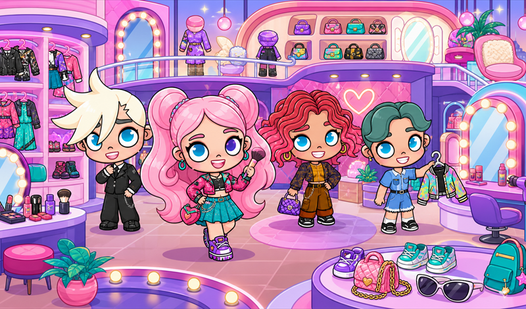
- Deep Customization: Tweak every facial feature and clothing layer. Your look changes how others react to you in common areas.
- Room Building: Fill your virtual space with furniture. You can host friends or just show off your interior design skills.
- Social Interaction: Chat and emote with real people nearby. It feels like a digital party where everyone is a fashion icon.
- Snapshot Moments: Capture the best outfits instantly. The built-in camera tool saves your progress for your own collection.
How to Play
Avatar: Mastering the Look
Use your mouse to navigate the closet and room editor. Click items to preview them on your character before finalizing the purchase. You should experiment with layers early. Most players forget that items stack, which is the only way to get a truly custom silhouette for your character.
How to play Avatar effectively
The Avatar controls rely on simple point-and-click movement to interact with other users. Move your mouse to the floor to walk, or click objects to trigger animations. Don't worry if the pathfinding feels a bit clunky at first. It takes a moment to get used to how the characters navigate tight corners.
Who Should Play Avatar?
Frequently Asked Questions about Avatar
Can I play Avatar on my phone?
Yes, you can access the game via mobile browsers. The touch interface works well enough, though navigating tiny inventory menus might test your patience on a smaller screen.
How do you change your room in Avatar?
Open the decoration menu by clicking the furniture icon at the bottom of your screen. From there, drag and drop items into your space to refresh your layout.
Is Avatar free to play?
Yes, Avatar is completely free to play on Nub Games. There are no in-app purchases. No download or registration required.
Can I play Avatar on mobile?
Avatar works on both desktop and mobile devices. Best played in landscape mode.
What age rating is Avatar?
The catalog age rating for Avatar is 6+.