

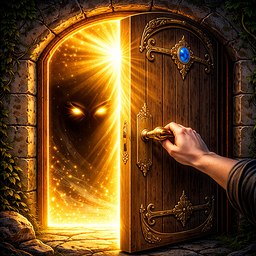













Key Features
- Room logic: Every door forces you to rethink your approach. You cannot brute force your way past the clever mechanisms hiding in plain sight.
- Tactile interaction: Drag, tilt, and tap to unlock portals. It feels like you are actually grabbing the handle.
- Visual traps: The game hides clues in the textures. Miss a detail and you stay stuck.
- Scaling difficulty: Early rooms teach you the rules. By level fifty, the logic gets downright nasty.
How to Play
100 Doors: Find Exit: Mastering the basics
Learning how to play 100 Doors: Find Exit starts with clicking everything on screen. The 100 Doors: Find Exit controls rely on simple mouse clicks or taps to manipulate objects. Don't just stare at the door. Shake your phone or drag items around to find hidden triggers.
Why is 100 Doors: Find Exit so tricky?
Most people fail because they overthink the simple stuff. Stop looking for complex codes when a physical object in the room is the real key. A common mistake is ignoring the background patterns. Watch those walls closely. Later levels get mean, forcing you to think way outside the box.
Who Should Play 100 Doors: Find Exit?
Frequently Asked Questions about 100 Doors: Find Exit
How do you solve the trickier puzzles in 100 Doors: Find Exit?
Look for items you can drag or hide behind. If a door won't budge, the answer is usually tucked away in a corner of the screen.
Can I play 100 Doors: Find Exit on my phone?
Yes, it works perfectly on mobile browsers. The touch controls make interacting with the room objects feel natural compared to using a mouse.
Is 100 Doors: Find Exit free to play?
Yes, 100 Doors: Find Exit is completely free to play on Nub Games. There are no in-app purchases. No download or registration required.
Can I play 100 Doors: Find Exit on mobile?
100 Doors: Find Exit works on both desktop and mobile devices. Best played in none mode.
What age rating is 100 Doors: Find Exit?
The catalog age rating for 100 Doors: Find Exit is 12+.




![[Multiplayer] Obby: Parkour Platformer](https://static.playhop.com/images/cfbbc_1892995_7a7b0/fbef20be9/2a0000019f316e4c_048e06e/fce01478e678a41d0005_c2d2f3/cover1)











